Online scams are becoming increasingly convincing. Fraudsters use fake emails, text messages, social media profiles, websites and phone calls to trick people into sharing personal information or sending money. Some scams imitate banks and government departments, while others involve fake online shops, job offers, investment opportunities or delivery notifications.
For people living in the UK, knowing how these scams work can help protect bank accounts, personal data and online identities. This guide explains common online scams, the warning signs to look for and the practical steps to take if you receive a suspicious message or believe you have been targeted.
What Is an Online Scam?
An online scam is an attempt to deceive someone through the internet or digital communication to obtain money, personal information, account access or another benefit.
Scammers often create a sense of urgency, promise something valuable or pretend to represent an organisation you trust. They may also use personal information from social media or previous data breaches to make their messages appear genuine.
According to UK consumer and cyber security guidance, suspicious requests for payment, unexpected contact, pressure to act quickly and requests for sensitive information are important warning signs.
1. Phishing Emails and Fake Text Messages
<AsyncImage query=”person checking suspicious phishing email on laptop smartphone cybersecurity realistic editorial photograph” aspectRatio=”16:9″ width=”100%” />
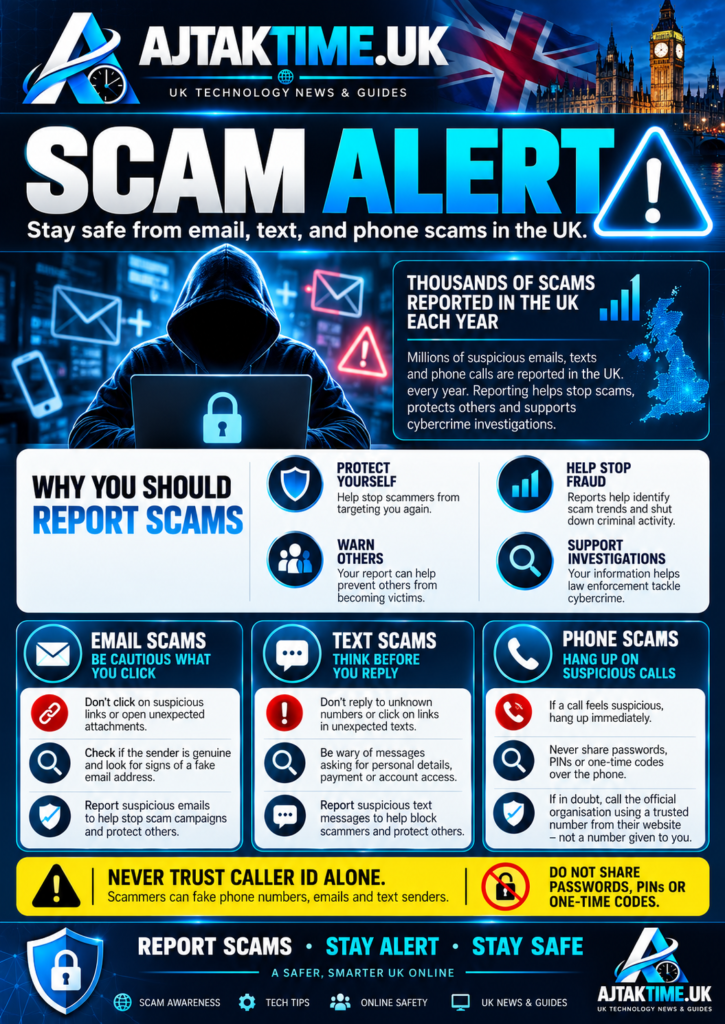
Phishing is one of the most common ways criminals attempt to steal personal information. A scammer sends an email or text message that appears to come from a bank, delivery company, government department or online service.
The message may ask you to verify your account, claim a payment has failed or warn that your account will be suspended unless you act immediately.
Warning signs
- The message asks you to click an unexpected link.
- It requests passwords, bank details or other sensitive information.
- The sender’s address or website domain looks unusual.
- It creates pressure by threatening account closure or promising an urgent refund.
- The link leads to a website that imitates a legitimate organisation.
Modern phishing messages can be well written and may contain convincing logos. Spelling mistakes are not a reliable way to identify every scam.
How to avoid phishing scams
Do not click unexpected links or open suspicious attachments. Visit the organisation’s official website by typing its address yourself or using a trusted bookmark. If the message claims there is a problem with your account, check through the official app or contact the organisation using verified contact details.
Official guidance: National Cyber Security Centre phishing advice.
2. Fake Delivery and Parcel Scams
Delivery scams often involve text messages or emails claiming that a parcel cannot be delivered because an address is incomplete, a delivery fee is outstanding or customs charges must be paid.
The link may lead to a fake website designed to collect payment card details and personal information.
How to spot a delivery scam
- You receive an unexpected message about a parcel you were not expecting.
- The message asks for a small payment to release a delivery.
- The website address does not match the delivery company’s official domain.
- You are pressured to act immediately to avoid returning the parcel.
How to stay safe
Check the tracking information through the delivery company’s official website or app. If you are expecting a parcel, use the tracking number provided by the seller rather than relying on a link in an unexpected message.
Do not enter payment details on an unfamiliar website simply because the message uses a recognisable delivery company’s logo.
3. Bank Impersonation and Safe Account Scams
In a bank impersonation scam, a criminal pretends to be a bank employee or fraud investigator. They may claim that your account has been compromised and instruct you to transfer money to a so called safe account.
The caller may even make a genuine bank telephone number appear on your caller ID. This technique is known as number spoofing.
Warning signs
- Someone unexpectedly asks you to move money to protect it.
- A caller requests your PIN, password or security code.
- You are told to keep the conversation secret.
- The caller pressures you to act before you have time to verify the request.
How to protect yourself
End the call if you feel pressured. Contact your bank using the number printed on your bank card or statement, or use its official app. In the UK, you can also call 159 to reach participating banks through the Stop Scams UK service.
Never transfer money to a supposed safe account because an unexpected caller tells you to do so.
Official guidance: Financial Conduct Authority banking and online account scams.
4. Fake HMRC and Government Messages
Scammers sometimes impersonate HM Revenue and Customs (HMRC) or other government departments. Their messages may claim that you owe tax, qualify for a refund, face a penalty or need to verify your identity.
Some fraudulent websites also charge for services that are free or cheaper through official government channels.
How to recognise the warning signs
- You receive an unexpected message demanding immediate payment.
- A message threatens arrest or legal action unless you pay urgently.
- You are asked to disclose passwords or sensitive banking information.
- A website imitates a government service but uses an unfamiliar domain.
How to avoid these scams
Do not use links or telephone numbers in suspicious messages. Visit GOV.UK directly and locate the relevant service. Check any alleged tax bill or refund through your genuine HMRC account or official correspondence.
Be particularly careful with websites advertising visa, passport, driving licence or other government services. An official looking design does not prove that a website is genuine.
5. Fake Online Shopping Websites
Fake online shops advertise attractive prices for electronics, clothing, home appliances and other products. Some copy the branding, images and product descriptions of genuine retailers.
After payment, the item may never arrive. In other cases, the customer receives a counterfeit product or discovers that their payment information has been misused.
Warning signs of a fake shop
- Prices are dramatically lower than those offered by established retailers.
- The website has limited or suspicious contact information.
- Independent reviews are missing or reveal repeated complaints.
- Payment is requested through unusual methods or outside the normal checkout.
- The domain contains additional words or spelling variations that imitate a familiar brand.
How to shop safely
Research unfamiliar retailers before buying. Check independent reviews, return policies, contact information and the website address. Prefer payment methods that offer suitable buyer protection.
Avoid paying a seller by bank transfer simply because they promise a discount. A padlock or HTTPS connection protects the connection but does not establish that the seller is legitimate.
Official guidance: NCSC advice on shopping and paying safely online.
6. Investment and Cryptocurrency Scams
Investment scams promise high returns, exclusive opportunities or profits with little or no risk. They may promote cryptocurrency investments, trading platforms, shares or other financial products through social media advertisements, messaging groups and unsolicited contact.
Some scammers use fake dashboards that display fictional profits. They may allow a small initial withdrawal to gain trust before asking for larger deposits or additional fees.
Common warning signs
- Guaranteed returns or claims that an investment cannot lose money.
- Pressure to invest immediately.
- Unsolicited investment advice from strangers online.
- Requests to pay additional money before withdrawing supposed profits.
- A company or individual that cannot be verified through appropriate official registers.
How to protect your money
Research the firm independently before investing. Check the Financial Conduct Authority’s register and warning information, and make sure the contact details match the authorised firm.
Remember that cryptocurrency prices can fluctuate significantly and legitimate investments carry risk. Do not rely on screenshots of profits, celebrity endorsements or testimonials as proof that an investment is genuine.
Official resource: FCA ScamSmart.
7. Fake Job Offers and Work From Home Scams
Employment scams target people looking for remote work, flexible hours or extra income. A fake recruiter may offer a job without a meaningful interview and then ask for an upfront payment, identity documents or bank details.
Some scams involve tasks such as liking videos, rating products or completing simple online activities. The victim may receive a small initial payment before being asked to deposit money to unlock tasks or withdraw earnings.
Warning signs
- You must pay a fee to secure the job or release your salary.
- The recruiter uses an unverified email address or messaging account.
- The company cannot be independently verified.
- The salary appears unusually high for minimal work.
- You are asked to deposit money or cryptocurrency to earn commissions.
How to avoid employment scams
Check the employer’s official website and confirm that the vacancy exists. Contact the company through independently verified details rather than using only the recruiter’s contact information.
Do not pay money to unlock earnings from an unfamiliar task platform. Never let a supposed employer use your personal bank account to receive and forward money for other people.
8. Romance Scams and Fake Social Media Profiles
Romance scammers build emotional relationships with victims through dating platforms, social media or messaging applications. They may claim to live abroad, work in a remote location or face an emergency that prevents them from meeting in person.
After gaining trust, they request money for travel, medical expenses, legal problems or other supposed emergencies.
Warning signs
- The person repeatedly avoids meeting or having a normal live video conversation.
- They quickly express intense romantic feelings.
- They ask for money, gift cards or cryptocurrency.
- They encourage secrecy or discourage you from talking to friends and family.
- Their story changes or their photographs appear on unrelated profiles.
How to stay safe
Take time to verify a person’s identity. Do not send money or share financial details with someone you have only met online. Be cautious about sharing intimate photographs or identity documents, as these may be used for blackmail.
If someone you know online requests financial help, speak to a trusted person before taking action.
9. Fake Tickets, Rental Properties and Marketplace Listings
Scammers may advertise concert tickets, holiday accommodation, rental properties, cars or other products that do not exist or that they are not authorised to sell.
A listing may look genuine and include copied photographs, convincing descriptions and fake reviews. After contacting the seller, the victim may be encouraged to pay a deposit through a bank transfer or an external payment service.
How to identify a suspicious listing
- The seller offers a price that is unusually low.
- They pressure you to pay before viewing the property or verifying the ticket.
- They ask you to move the conversation away from the official platform.
- They refuse reasonable verification or secure payment arrangements.
- The photographs or listing details appear elsewhere under different names.
How to protect yourself
Use established marketplaces and their recommended payment systems. For event tickets, check the event organiser’s official ticketing partners. For rental properties, verify the agent or landlord and the property’s details before paying a deposit.
Do not assume that a listing is genuine simply because it appears on a well known platform.
Official resource: Police.uk internet, email and mobile phone fraud advice.
10. AI Voice Cloning and Impersonation Scams
Artificial intelligence can make it easier for criminals to create convincing messages, impersonate familiar voices or produce fake images and videos. A scammer might pretend to be a family member, manager or trusted public figure and claim that urgent help or payment is needed.
A familiar sounding voice is not proof of identity. Caller ID, photographs and video clips can also be manipulated.
How to protect yourself
- Verify unexpected requests for money through a separate, trusted communication channel.
- Agree on a family verification phrase for emergencies if that would help your household.
- Call the person back using a number you already know.
- Confirm unusual business payment requests directly with the person or organisation involved.
- Do not share verification codes or account recovery details with unexpected callers.
If a message claims that someone is in immediate danger, take a moment to verify the situation rather than sending money solely because the message sounds convincing.
11. Recovery Scams Targeting Previous Victims
A recovery scam occurs when criminals contact someone who has already lost money and promise to recover it. They may pretend to be lawyers, investigators, financial experts or specialist recovery companies.
The victim may be asked to pay an advance fee, tax, administration charge or cryptocurrency deposit before any recovery can happen.
Warning signs
- An unsolicited message promises guaranteed recovery.
- The organisation claims to have recovered your funds but requires an upfront payment.
- You are asked to share bank passwords or remote access to your device.
- The supposed recovery expert pressures you to act immediately.
What you should do
Be cautious of anyone who contacts you unexpectedly promising to recover lost money. Contact your bank and the appropriate reporting service directly. Do not pay additional fees to an unverified recovery service.
Practical Ways to Protect Yourself Online
You can reduce your exposure to online scams by building a few simple habits into your daily internet use.
Use strong, unique passwords
Create a different password for each important account. A reputable password manager can help you generate and store them securely.
Enable two step verification
Use two step verification or multifactor authentication wherever available. Prefer passkeys or an authenticator app when appropriate, and never disclose one time security codes to unexpected callers.
Keep your devices updated
Install security updates for your operating system, browser and applications. Updates can fix vulnerabilities that criminals may exploit.
Check websites before paying
Review the domain carefully and independently verify unfamiliar sellers. Remember that HTTPS does not guarantee that a business is honest.
Avoid rushed decisions
Scammers rely on urgency, fear and excitement. Pause before transferring money, sharing documents or responding to an unexpected request.
Review your financial accounts
Check bank and card statements regularly. Contact your bank promptly if you notice unfamiliar transactions or suspect that your details have been compromised.
Limit what you share publicly
Avoid publishing unnecessary personal details, travel plans or information that could help someone impersonate you or guess your security answers.
What to Do If You Have Been Scammed in the UK
If you have clicked a suspicious link, shared information or sent money, act quickly. You do not need to feel embarrassed. Scams are designed to deceive people, and early action can help limit further harm.
Step 1: Contact your bank or payment provider. If money has been transferred or your card details exposed, contact the provider immediately using its official contact details. Ask whether the transaction can be stopped, recalled or disputed.
Step 2: Secure affected accounts. Change compromised passwords from a trusted device, sign out of unfamiliar sessions and enable additional security. If you installed suspicious software, avoid using the affected device for banking until it has been checked.
Step 3: Preserve evidence. Keep relevant messages, emails, receipts, transaction references, website addresses and screenshots. Do not continue communicating with the suspected scammer.
Step 4: Report the incident.
- Suspicious emails: Forward them to report@phishing.gov.uk.
- Suspicious UK text messages: Forward them to 7726, free of charge.
- Fraud in England and Wales: Report through Report Fraud. You can also call 0300 123 2040.
- Fraud in Scotland: Report it to Police Scotland. If there is an immediate danger, call 999.
- Consumer advice in England and Wales: Contact Citizens Advice for guidance about scams and next steps.
Reporting routes can differ across the UK, so follow the current instructions from the relevant official service. Report suspicious messages even if you did not lose money, where the reporting service accepts them.
Frequently Asked Questions
What are the most common online scams in the UK?
Common examples include phishing emails, fake delivery messages, bank impersonation, fraudulent online shops, investment scams, fake job offers, romance scams and marketplace fraud. The methods and messages change, so verify unexpected requests independently.
How can I tell if a website is a scam?
Check the domain, seller details, independent reviews, contact information and payment methods. Be cautious of extreme discounts and pressure to pay immediately. A professional design, familiar logo or HTTPS connection does not prove that a website is genuine.
What number should I forward scam texts to in the UK?
Forward suspicious text messages to 7726. This is a free reporting service that passes the report to your mobile provider.
What should I do if I gave a scammer my bank details?
Contact your bank immediately using its official contact information. Explain exactly what information you shared and whether you authorised any payments. Follow its instructions for protecting your account and changing compromised credentials.
Can I recover money lost to an online scam?
Recovery depends on the circumstances, payment method and provider’s procedures. Contact your bank or payment provider as soon as possible and report the incident. Be wary of anyone who guarantees recovery in exchange for an advance fee.
Are online scams always easy to recognise?
No. Fraudsters can copy legitimate websites, impersonate trusted organisations and use convincing language or AI generated content. Independent verification is more reliable than judging a message by its appearance alone.
Final Thoughts
Online scams can affect anyone who uses email, social media, online shopping or digital banking. The most effective protection is to slow down, verify unexpected requests and avoid sharing sensitive information or sending money under pressure.
Use unique passwords, enable additional account security and check unfamiliar websites before making payments. If you believe you have been targeted, contact your bank promptly and report the incident through the appropriate UK service.
A few careful checks can make it much harder for scammers to take advantage of you.
Editorial note: This guide provides general scam prevention information, not legal or financial advice. Reporting procedures and official guidance may change, so consult the linked UK services for the latest instructions.