
Two critical security vulnerabilities in PHP were publicly disclosed on 21 October 2026 after security researchers used AI assisted analysis to help uncover flaws in the widely used programming language. The vulnerabilities, tracked as CVE-2026-109618 and CVE-2026-109619, could allow attackers to execute code remotely on affected servers without authenticating first.
The PHP development team has released security updates to address both flaws. The UK National Cyber Security Centre (NCSC) has urged organisations running PHP to identify affected systems and apply the available fixes as soon as possible.
The issue matters to website owners, hosting providers, developers, and businesses that rely on PHP based platforms such as WordPress, Drupal, Joomla, ecommerce systems, and custom web applications.
If your website uses PHP, check the PHP version actually running on your server and confirm that the applicable security fix has been installed. Updating a WordPress plugin or theme alone does not fix a vulnerability in the underlying PHP runtime.
What Happened in the 2026 PHP Security Incident?
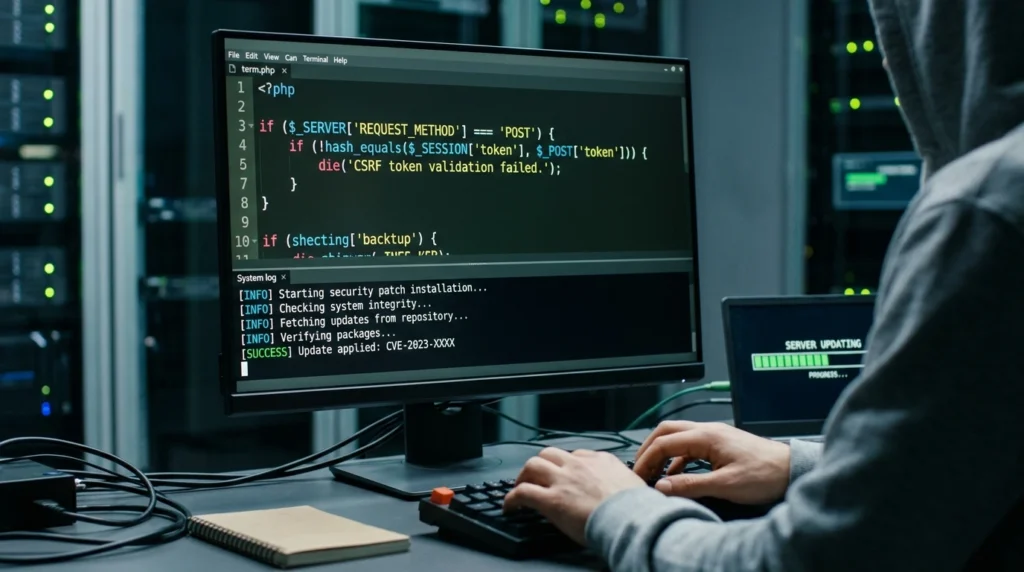
On 21 October 2026, the PHP team announced emergency security releases addressing two critical vulnerabilities that could lead to unauthenticated remote code execution.
OpenAI reported that its Patch the Planet initiative helped researchers identify a critical PHP flaw using AI, while security company Wiz independently discovered and reported both vulnerabilities. PHP maintainers led the work to fix the issues, with researchers and security partners contributing to the coordinated response.
The incident demonstrates how AI assisted security research can help identify weaknesses in widely used software. It also highlights why coordinated disclosure, careful patch testing, and prompt updates are important when a flaw affects a core technology used by many websites.
The vulnerabilities are commonly referred to together as PHP2Shell.
The two vulnerabilities explained
- CVE-2026-109618: An out of memory handling flaw that can leave internal request data in an unsafe state during error handling and cleanup.
- CVE-2026-109619: A stale global state flaw in which internal state can refer to memory that has already been freed.
Under certain conditions, these problems can lead to remote code execution. This means an attacker may be able to make a vulnerable server execute unauthorised code.
The PHP security team assigned both vulnerabilities a CVSS v4.0 score of 9.2, indicating critical severity.
Sources: Official PHP security releases and OpenAI’s coordinated disclosure report.
Which PHP Versions Are Affected?
The official advisory warns that PHP installations serving web requests are at risk if they have not received the applicable security fix. The issue affects multiple PHP branches and is not limited to WordPress websites.
The following fixed versions were released on 21 October 2026.
| PHP branch | Fixed version |
|---|---|
| PHP 8.5 | 8.5.12 |
| PHP 8.4 | 8.4.27 |
| PHP 8.3 | 8.3.36 |
| PHP 8.2 | 8.2.35 |
These are the initial fixed releases for the respective branches. If a newer security release is available for your branch, use the latest appropriate patched version rather than downgrading to the versions listed above.
PHP 8.1 and older branches also require attention. They are end of life or unsupported for normal security maintenance, and ordinary users should not assume that installing the final version they remember will protect them. Check with your hosting provider or software distributor for the appropriate supported upgrade or vendor specific fix.
Important: A version number by itself may not tell the whole story when a hosting company backports a security fix into a vendor maintained build. Confirm the patch status with your provider if the version does not match the upstream release numbers.
Official reference: PHP News Archive for 2026.
Why Is This PHP Vulnerability So Serious?
PHP runs server side code that processes requests, interacts with databases, and generates dynamic web pages. If an attacker can exploit a flaw in the PHP runtime, the potential impact extends beyond an individual page or plugin.
1. Remote code execution
Remote code execution can allow an attacker to execute unauthorised code with the privileges of the affected PHP process. Depending on the server configuration and available permissions, this could lead to a wider application or server compromise.
2. Exposure of sensitive information
A successful attack may expose application data or sensitive information accessible to the compromised process. The precise impact depends on the environment and the attacker’s level of access.
3. Risk to PHP based websites
WordPress, Drupal, Joomla, ecommerce platforms, and custom PHP applications can all run on affected PHP environments. A website does not have to contain a specific vulnerable plugin for a flaw in the underlying runtime to matter.
4. Potential follow on attacks
If a server is compromised, attackers may attempt to install malicious files, steal credentials, alter website content, or use the compromised environment to attack other systems.
These are potential consequences of successful exploitation, not proof that every vulnerable website has been attacked.
How to Check Whether Your Website Uses PHP
If you manage a website, start by identifying the PHP version used by the actual web application.
Method 1: Check PHP in your hosting control panel
Many hosting providers display PHP configuration and version information in their control panels.
- Sign in to your hosting account.
- Open the website or hosting management section.
- Look for a setting such as PHP Configuration, PHP Manager, or PHP Version.
- Identify the version assigned to the relevant website or domain.
- Check the provider’s documentation or support guidance for the security status of that build.
- Confirm that the updated runtime is being used by the live website.
The exact menu names differ between hosting companies. If you use Hostinger, look for the PHP configuration options associated with your website in hPanel.
Remember that the PHP version used by a command line task may differ from the version used by your live website. Check the web runtime as well as any separately configured command line environment.
Method 2: Check through WordPress
If you manage a WordPress website, you can usually inspect the PHP version from the WordPress dashboard.
- Sign in to WordPress administration.
- Open Tools.
- Select Site Health.
- Open the Info tab.
- Expand the Server section.
- Find the PHP version information.
Use the result as a starting point. Your hosting provider may use separate runtimes for different websites, and the dashboard’s version information does not by itself confirm that the security patch has been applied.
Method 3: Ask your hosting provider
If the control panel does not clearly show the running version or patch status, contact your hosting provider.
Ask which PHP runtime is serving your website, whether the relevant PHP2Shell security fix has been applied, and whether any additional action is required for your hosting configuration.
Avoid publishing a public PHP information page that exposes unnecessary server details. If you create a temporary diagnostic file, protect it appropriately and remove it immediately after use.
How to Fix the Critical PHP Vulnerabilities
Updating PHP to a fixed release is the primary remediation. The PHP team states that there is no complete substitute for applying the security update.
Step 1: Back up your website
Before making a PHP version change, create a recent backup of your website files and database.
For important production websites, confirm that the backup can be restored. A backup that has never been tested may not be sufficient for recovery.
Step 2: Check application compatibility
Review the compatibility of your CMS, plugins, themes, extensions, and custom code with the PHP version you plan to use.
If your current PHP branch is supported, update it to an applicable fixed release or later patched version. If your branch is no longer supported, plan a migration to a supported version rather than remaining on an obsolete runtime.
Step 3: Apply the update through your hosting provider
For managed hosting, use the provider’s PHP configuration interface or follow its security instructions.
For a self managed server, follow the official installation and update instructions for your operating system and PHP distribution. If your PHP runtime is bundled with a control panel or application appliance, you may need the distributor’s own updated package.
Do not assume that installing a separate PHP version automatically changes the version used by your live website.
Step 4: Test the website
After updating, check the main pages and critical functions, including:
- Homepage and navigation
- Login and account management
- Forms and file uploads
- Database driven features
- Ecommerce checkout and payment flows, if applicable
- Scheduled jobs and background tasks
- Error logs and application health
If a compatibility issue appears, investigate it without reverting to a vulnerable runtime on an exposed production website.
Step 5: Confirm the fix
Check the PHP version used by the web application again. Confirm with the hosting provider or package distributor that the relevant security fixes are present.
For managed hosting, request confirmation if the provider handles runtime patching automatically.
Step 6: Review security logs if your server was exposed
Patching protects against the vulnerable code, but it does not prove that an earlier attack did not succeed.
If your server was running an affected version, review available web server, PHP, hosting, and security logs for suspicious activity. Look for unexpected file changes, unknown accounts, altered scheduled jobs, or other indicators that require investigation.
If you find evidence of compromise, preserve relevant logs and backups, rotate potentially exposed credentials from a clean device, and seek help from a qualified incident response professional where necessary.
What Should WordPress Website Owners Do?
WordPress is built with PHP, so WordPress administrators should verify the PHP runtime used by their hosting environment.
However, the PHP2Shell issue is not simply a WordPress plugin vulnerability. Updating WordPress core or installing a security plugin does not replace the need to patch the underlying PHP runtime.
Follow these steps:
- Check the PHP version shown in WordPress Site Health.
- Confirm the actual web runtime and patch status with your host.
- Apply the provider’s recommended security update.
- Keep WordPress core, themes, and plugins updated as separate security tasks.
- Check administrator accounts and review unusual website activity if the site was exposed while vulnerable.
- Maintain a recent backup and a recovery plan.
If your website is hosted on a managed platform, the hosting company may handle the runtime update. You should still verify the status rather than assuming that the provider has already completed it.
What If You Cannot Update PHP Immediately?
The PHP security team identifies updating to a fixed release as the complete remediation. The UK NCSC advises organisations to identify affected systems, prioritise internet facing services, and apply available fixes promptly.
If you cannot update immediately:
- Contact your hosting provider or software distributor for the approved temporary mitigation.
- Restrict exposure where possible while you arrange the fix.
- If adequate protection cannot be established, consider taking the affected service offline until it can be secured.
- Review the official advisory for changes to mitigation guidance.
Temporary protections may reduce risk, but they should not be treated as equivalent to installing the fixed PHP release.
Do not apply random configuration changes or unverified firewall rules to a production server. Incorrect changes can break the website while leaving the underlying issue unresolved.
Official UK guidance: National Cyber Security Centre: Critical security issue affecting PHP.
Did AI Discover the PHP Vulnerabilities?
AI assisted security research played a significant role in this incident. OpenAI reported that its Patch the Planet initiative helped identify a critical PHP flaw using AI, while Wiz independently discovered and reported both vulnerabilities.
The vulnerabilities were then handled through a coordinated process involving PHP maintainers, security researchers, and infrastructure partners. The maintainers developed and released the fixes before the public security advisory.
This does not mean AI independently replaced software maintainers or that every AI detected flaw is automatically real or exploitable. Security findings still require validation, technical review, responsible disclosure, and careful patch testing.
The case does demonstrate how AI can help researchers examine complex code and identify security weaknesses that affect widely deployed software.
It also reinforces the need for defenders to respond quickly when security updates become available.
Frequently Asked Questions
What are the 2026 PHP vulnerabilities?
CVE-2026-109618 and CVE-2026-109619 are two critical PHP vulnerabilities that can lead to unauthenticated remote code execution under certain conditions. PHP released fixed versions on 21 October 2026.
Which PHP versions are fixed?
The initial fixed releases are PHP 8.5.12, 8.4.27, 8.3.36, and 8.2.35. Use a newer patched release when available and check vendor guidance for older or custom managed builds.
Are WordPress websites affected?
WordPress runs on PHP, so the PHP runtime used by a WordPress website must be assessed. The vulnerability is in PHP itself, not necessarily in WordPress core, a theme, or a plugin.
Can a security plugin fix PHP2Shell?
A WordPress security plugin cannot replace a patch to the underlying PHP runtime. Some security products may offer additional protections, but the PHP security update remains the primary fix.
Has every vulnerable website been hacked?
No. A vulnerable version creates a risk, but it does not establish that a particular website was compromised. Administrators should patch promptly and investigate suspicious activity where appropriate.
Does changing the PHP version in a control panel always fix the problem?
Not necessarily. You must confirm that the live website is using the intended runtime and that the applicable security fix is present. Some hosting environments use separate versions for websites, command line tasks, and bundled applications.
Is PHP 8.2 still a good long term choice?
PHP 8.2 received a fixed release for this incident, but its scheduled end of life is 31 December 2026. Website owners should plan to move to a supported PHP branch rather than treating the immediate patch as a long term support strategy.
Where can I get official security information?
Start with the official PHP 2026 release archive and the UK NCSC security alert. Hosting providers may also publish additional instructions for their own managed environments.
Final Thoughts
The PHP2Shell incident is a reminder that a vulnerability in a widely used programming language can affect websites across many industries. AI assisted research helped bring critical weaknesses to light, and the PHP team has released fixes for supported branches.
Website owners should identify the PHP runtime serving their applications, apply the appropriate security update, test important functionality, and confirm that the fix is active. Organisations that may have been exposed should also consider whether their logs show evidence of earlier compromise.
For WordPress administrators and developers, the most important action is straightforward: verify your PHP security status and patch the affected runtime without delay.
Sources and Further Reading
- PHP: Security advisory and 2026 release archive
- UK National Cyber Security Centre: Critical security issue affecting PHP
- OpenAI: Patch the Planet and coordinated vulnerability disclosure
- NCSC Netherlands: PHP2Shell operational information
- Technology News 2026
Editorial note: Security information can change as vendors publish additional fixes and technical guidance. This article reflects the public information available on 26 October 2026. Check the official PHP advisory and your hosting provider’s guidance before making production changes.